
CORE FEATURE
Image Gallery
Your visual edge in one place
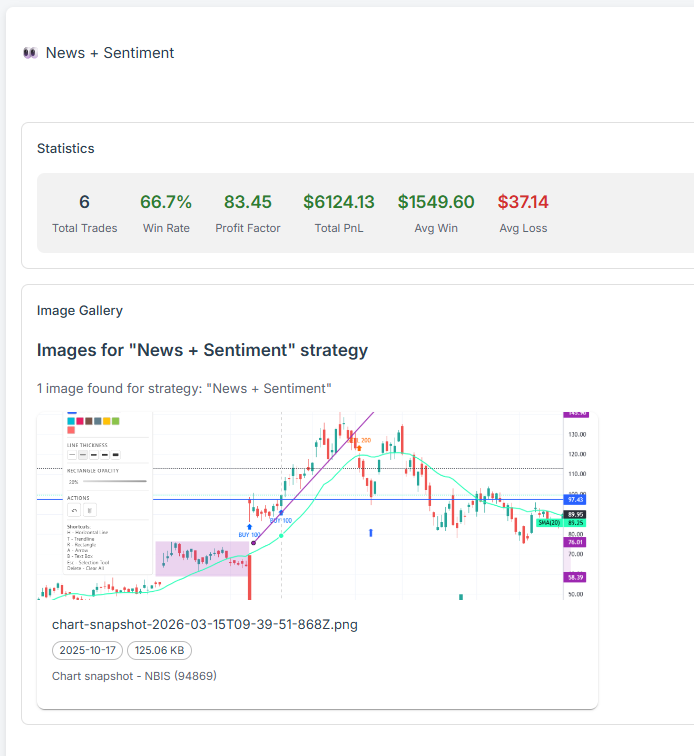
All your saved chart images organized by strategy, mistake, or tag. Perfect for reviewing your trading setups and learning from patterns.
Overview
A picture is worth a thousand data points. The Image Gallery organizes your visual history into a browsable library. By tagging screenshots with specific emotions or strategies, you can quickly filter to see how all your "Impulse Trades" looked compared to your "A+ Setups," creating a powerful feedback loop for your visual memory.
Key capabilities
Organized by Strategy
Tag & Filter Capability
Setup Review Tool
Performance Mapping
Screenshots
☀️ Light
Gallery grid — all your setups at a glance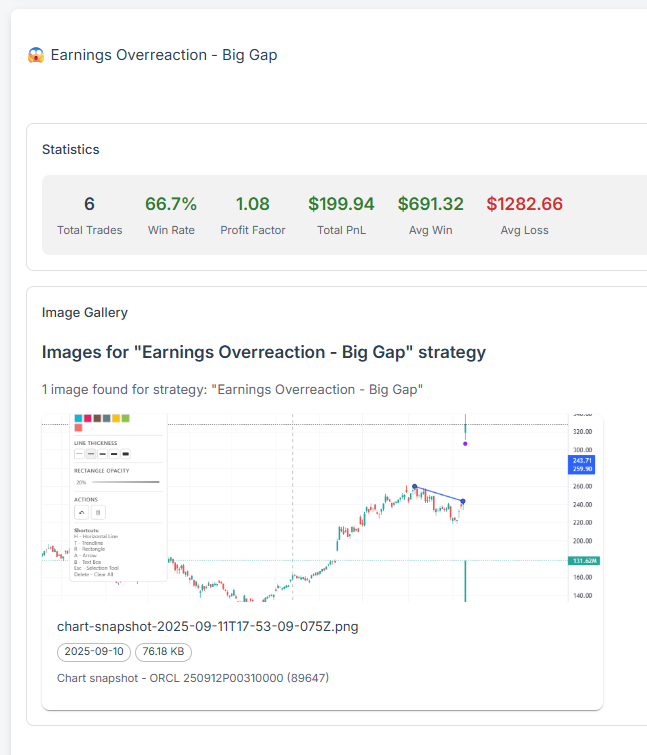
☀️ Light
Detailed view with tags and trade linkExplore more features
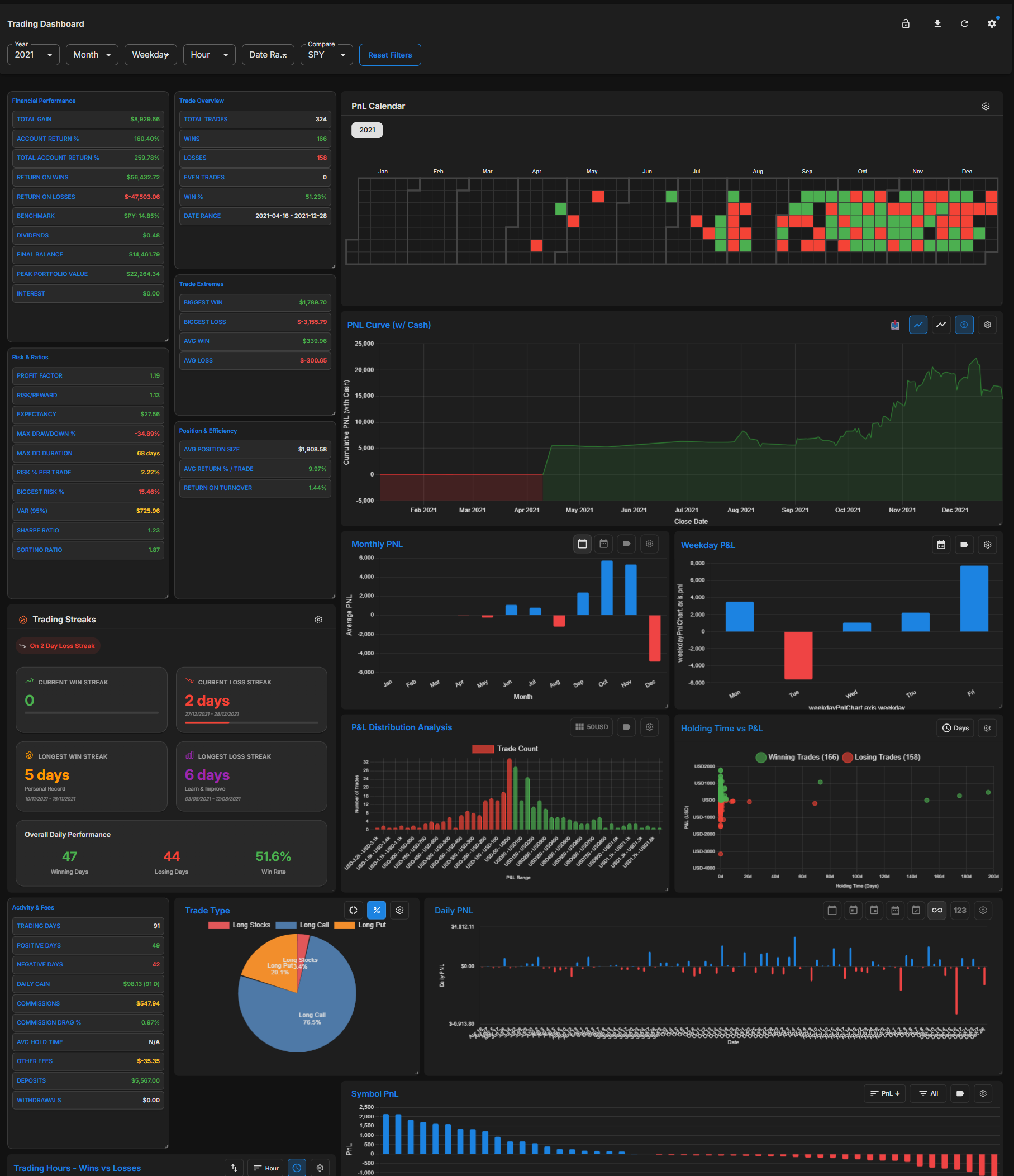
Main Dashboard
Explore
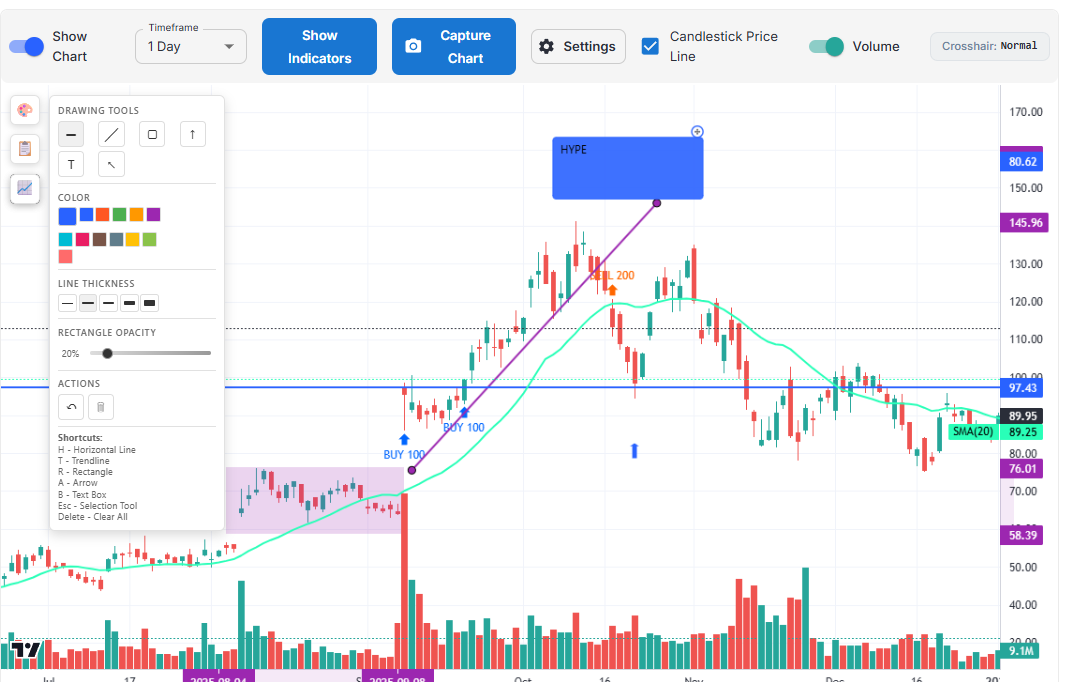
Drawing Tools
Explore
Emotion Analysis
Explore